I haven't had a free download for sometime, so here's Mini Bender..enjoy! Download Lightwave version or OBJ version & don't forget my metal node pack is still on sale, get it if you haven't already :P
Metal Node Library Pack is now available I finally got the web page done, but I couldn't work out how to add it to blogger as a static page...so click on the above link :) Price is $20 USD, for this month only and then it jumps to $35...so grab it while it's cheap. I still need to write a read me file and maybe add one or more things, I'll start emailing the node library pack on Monday...just a head up. Also, since it's the New Year...here's a free download again :) Grab the Babylon 5 PPG LW version and have a look see at the nodes...or..download the Babylon 5 PPG OBJ version.
Here's a preview of my metal surface library, I have another batch to render and then it'll be available soon. Some of them are the same surfaces, because I named it after the object they were used in, so it should be easier to choose...more to come! In the mean time, here's another free download, the above surface is included with the object for you LW users out there :) Download the netsuke lw version or the netsuke obj version.
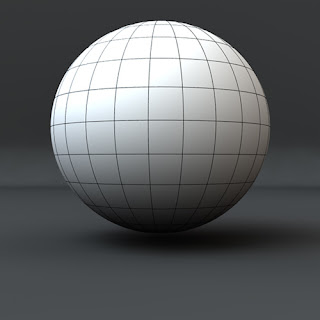
Polygon Coloring makes it so easy to render wireframes in Lightwave...I use it all the time :) 1/ Scan the plugin in Modeler. 2/ Open your object and run the plugin. I use the defaults, but change the colour to an off white. 3/ Save the object under a new name, so you don't overwrite your file and lose any previous surface information. 4/ In Layout, select the object and in the "Object Properties" under the "Edges" tab, turn on "Surface Borders" and render away. Or you can download my default scene and replace the sphere with your object :)
Here's one of the designs I came up with...nice and simple. Since, I haven't had a free download for awhile, I thought this one will do nicely. As usual, there are two formats for you to choose from: The Flying Car LW version with full textures or the Flying Car obj version...have fun with it.
Just to breakup the steampunk theme for this month, I thought I'd share some free Babylon 5 models. As always...there are two formats, get the LW version here and the OBJ version here .
This weeks speed modelling challenge is all about physical activity and here's my attempt at those hand gripper objects. Modelling took around 40 minutes at a casual pace. Get the Lightwave format file or the OBJ format file if you wish.
Another model done for the speed modelling challenges on Newtek's forum a while back...but I never did get the time to texture it. Anyway...download the Lightwave format file or you can try the OBJ format instead...if you don't use Lightwave :O) Have fun with it.
Here are a couple free models for download, these were made during the speed modelling challenge at Newtek....you might have seen them before :O) Download the Lightwave format or the OBJ format and have fun.
Here is another metal preset from my Raygun model , this time it's that handle texture. I do love that grungy feel to it and it's definitely one of my favorites. I sent it to PresetCentral but until it gets reviewed you can download it from here
This is wonderful, if you don't have this node then you need to get it now... Download Grit Node Here !! I've been trying to create a rust via nodes in Lightwave ever since I finished my ray gun model and now it's too easy. Here is a quick five minute test using the standard scene from preset central . I think I should have used the 10cm scene instead of the 1m one, but you get to see a little hint of rust :) I modified the scene object so there's more areas for the rust to show up. The same node as it looks on my ray gun model with out modifications....the potential is great. Here is the Rust Preset , download it and have fun.
Here is an old object modeled in LW7.5, but I couldn't be bothered to resurface it in LW9.6 so here it is...a free download :) Get the lwo file or download the obj file if you don't have Lightwave :)